

Mobile Wi-Fi, also called pocket Wi-Fi, is a rented router that lets travelers in Japan connect several phones, tablets and laptops at once. An eSIM is a digital SIM built into the phone, with a data plan bought online and set up by scanning a QR code. Mobile Wi-Fi suits families and groups, while an eSIM is the simpler choice for most travelers with an unlocked, eSIM-compatible phone.
| eSIM phone requirement | Unlocked and eSIM-compatible, such as iPhone XS, XS Max, XR or later |
|---|---|
| Router pick-up | Rental kiosks at major airports, or delivery to a hotel by online reservation |
| Narita Airport rental counters | Terminals 1, 2 and 3. Most counters list hours of 7:00 AM to 9:00 PM |
Checked in October 2026 against support.apple.com, japan.travel, narita-airport.jp.
When my friends come over to visit me in Japan, many mention how challenging it can be to figure out internet options here.
Staying connected is essential, and two popular options are mobile Wi-Fi and eSIM:
Each option has its own benefits and downsides, so let’s break down the pros and cons of both, along with a recommendation for hassle-free connectivity.
Mobile Wi-Fi
Pros
- Multiple Device Support
Mobile Wi-Fi can connect to various devices simultaneously, including tablets, laptops, and smartphones, making it a versatile option for business travelers and groups. - Easy to Set Up
Setup is straightforward, just pick up your Wi-Fi router, enter the password, and you’re ready to go. This option requires minimal tech knowledge, which makes it accessible to almost anyone. - Great for Group Use
Since mobile Wi-Fi allows multiple devices to connect at once, it’s ideal for families or friends traveling together, as they can share a single connection.
Cons
- Pick-Up and Return Hassle
You’ll need to reserve your router in advance (or rent one at an airport kiosk on arrival), pick it up (usually at the airport or delivery point), and return it at the end of your trip. During busy seasons, wait times can be long. - Additional Luggage
Mobile Wi-Fi routers add a little extra weight and space to your bag, which can be inconvenient, especially with the charger and any additional accessories. - Battery Charging Required
Since it’s a separate device, the router needs regular charging, which can be a hassle if you’re out exploring all day.
Mobile Wi-Fi Recommended for: Travelers who need to connect multiple devices, such as laptops or tablets, or who are traveling in groups and want a shared internet source.
eSIM
Pros
- No Extra Device to Carry
eSIM is built directly into your phone, meaning there’s no extra equipment to lug around or worry about losing. - Easy Online Setup
With eSIM, you can purchase and set it up entirely online, even just before departure. Simply scan a QR code and follow the on-screen instructions. No physical SIM cards are needed. - Multi-Country Flexibility
If you travel frequently, you can install multiple eSIMs on one device and switch between them depending on your destination. It’s incredibly convenient for those exploring multiple countries.
Cons
- Limited Device Compatibility
eSIM is only available on compatible devices. Before traveling, ensure your phone is unlocked and eSIM-compatible to avoid any surprises. - One Device Per eSIM
Unlike mobile Wi-Fi, eSIM is limited to a single device, making it less convenient if you need to connect other gadgets. - Setup Might Feel Tricky for First-Time Users
While setup is typically simple, some may find it a bit confusing if they’re new to eSIM technology.
eSIM Recommended for: Independent travelers or those who want a light, quick solution without the need to carry extra devices.
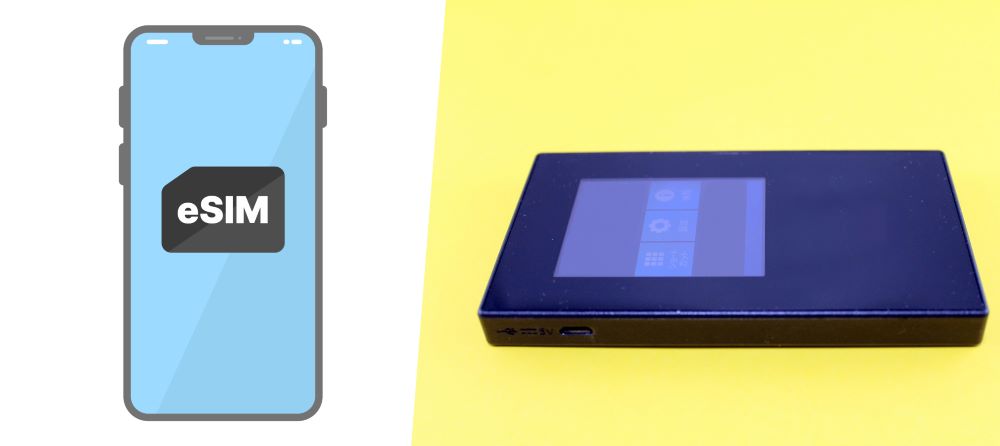
Which Option Is Better?
For most travelers, eSIM stands out as a simpler and more efficient choice. Among the various eSIM providers, Airalo is highly recommended for its ease of use, global reputation, and straightforward setup process. While there are cheaper eSIM options, they often come with slower speeds or require Japan-specific apps, which can be a hassle if you’re looking for a quick and easy solution.
With Airalo, you can purchase your data plan online, set it up instantly, and skip the extra luggage of a mobile Wi-Fi router. It’s ideal for travelers who want to make the most of their time in Japan without extra steps.

Airalo Purchase Website: www.airalo.com
| Service Name | Airalo |
|---|---|
| Description | World’s first digital eSIM store, offering a wide range of eSIM plans with over 200 countries and regions covered. Users can connect to the internet in their chosen country or region using the purchased eSIM. |
| Provider | AirGSM Pte Ltd (Headquartered in Singapore, founded in 2019) |
| Requirements | eSIM-compatible, unlocked device (smartphone, tablet, or PC). Make sure your device supports eSIM. |
| Pricing | Pricing varies by country or region (200+ countries supported). Examples: Japan: 3GB for 7 days at $8.00 USD (October 2026). |
| How to Purchase | Available on the official Airalo website (link down below) or Airalo app (downloadable from the official website). |
| Payment Methods | Credit (debit) cards (VISA, Mastercard, American Express, UnionPay, JCB), PayPal, Airmoney (Airalo reward currency), Apple Pay (not available in all countries), Google Pay, Alipay (only via mobile app). |
Using Airalo can be a convenient and straightforward solution, especially if you’re looking for reliable, global connectivity on a simple eSIM setup.
Airalo Purchase Website: www.airalo.com
Frequently Asked Questions
Which phones can use an eSIM in Japan?
A travel eSIM for Japan works only on a phone that supports eSIM and is not locked to a carrier. Apple lists the iPhone XS, iPhone XS Max, iPhone XR and later as eSIM-capable, and Airalo notes that some regional models may not support eSIMs. On an iPhone, Settings, General, About shows “No SIM Restrictions” next to Carrier Lock when the phone is unlocked.
Can you install an eSIM before you arrive in Japan?
An eSIM for Japan can usually be bought and installed before departure, as long as the phone has a stable internet connection during installation. Airalo states that in most cases the validity period begins only when the eSIM connects to a supported network in its coverage area. Some plans start at installation, so the plan’s validity policy is worth reading before installing.
Where do you pick up a mobile Wi-Fi router in Japan?
Mobile Wi-Fi routers in Japan are rented at kiosks in major airports or delivered to a hotel after an online reservation, according to the Japan National Tourism Organization. Narita Airport lists rental counters in Terminals 1, 2 and 3, most with listed hours of 7:00 AM to 9:00 PM. Haneda Airport Terminal 3 has counters in the 2F Arrival Lobby and a 24-hour unmanned Wi-Fi rental service.
Share